

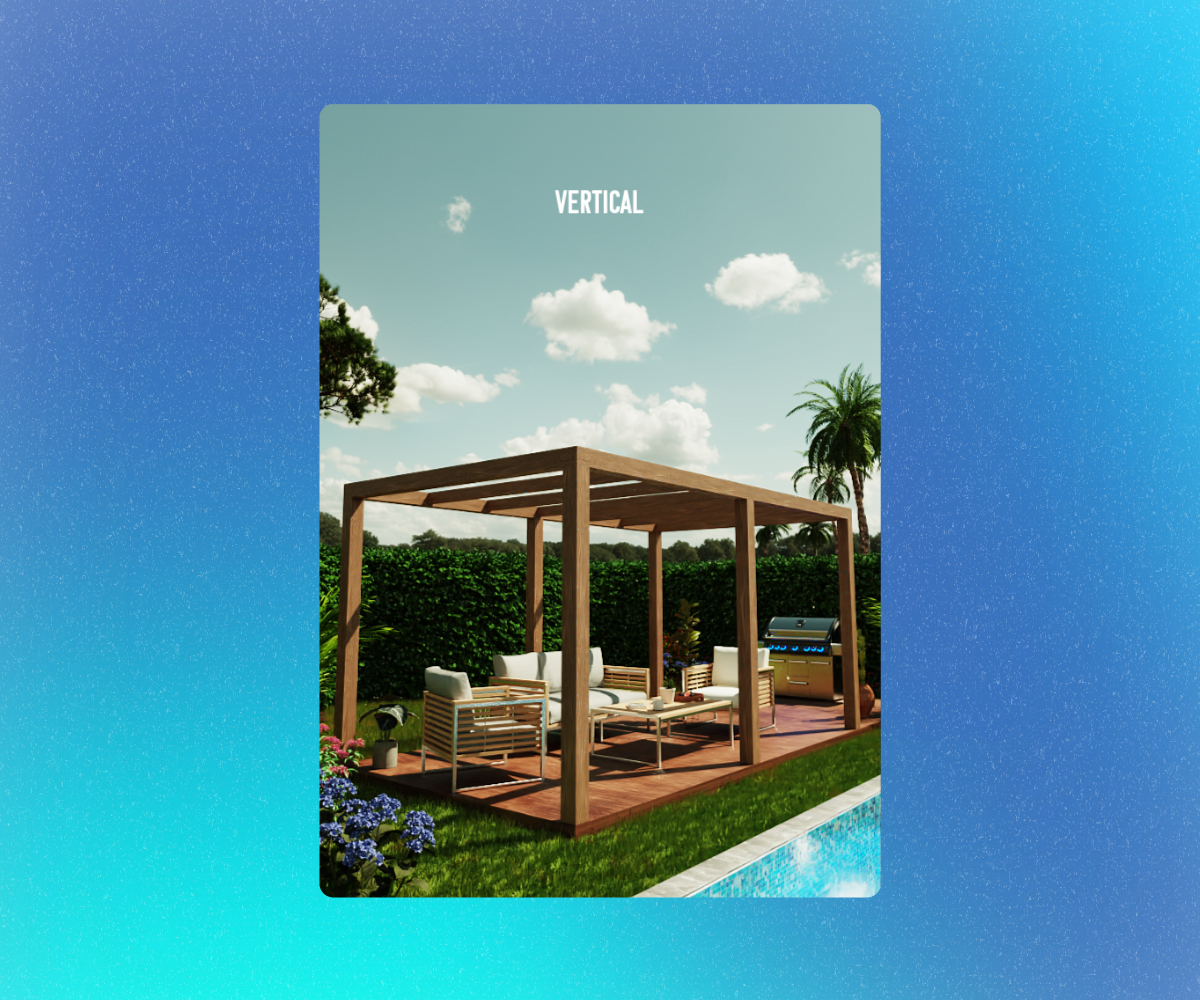
In this tutorial, we will see a very useful tip for converting the image from horizontal to vertical.
Introduction
Sometimes we may find that after finishing setting up our scene in KeyShot and when we are about to render, we realize that the image needed to be vertical: either because the client requested it last minute, because the requirements were not known, or because the render needed to be multi-format to be placed on the cover of a magazine…
If you have found yourself in a similar situation, don’t worry! There is a solution, and it’s very easy.
Accessing the ‘Image’ tab and selecting ‘Presets’
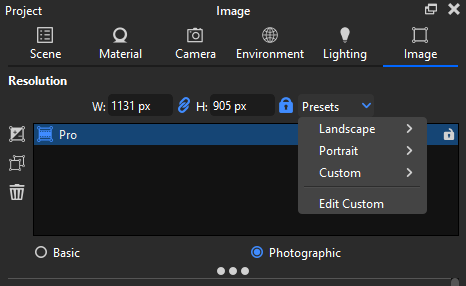
We can change the proportions of the render in the ‘Image’ tab. We go to the ‘Image’ tab and select the dropdown called ‘Presets‘.
Selecting the ‘Portrait’ format and desired resolution
Different formats will be displayed: Landscape, the default format for horizontal canvases. Portrait for vertical image formats, and custom to create a custom format.
In our case, we will select Portrait, and a list of resolutions for the vertical format will appear.
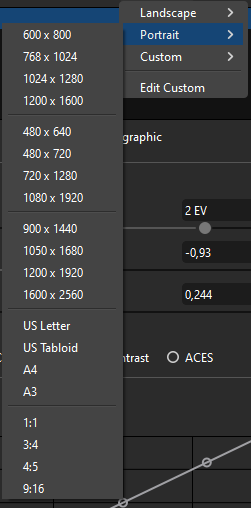
If we want the render to have proportions for a magazine, we select the A4 option.
And the KeyShot viewer will automatically change.
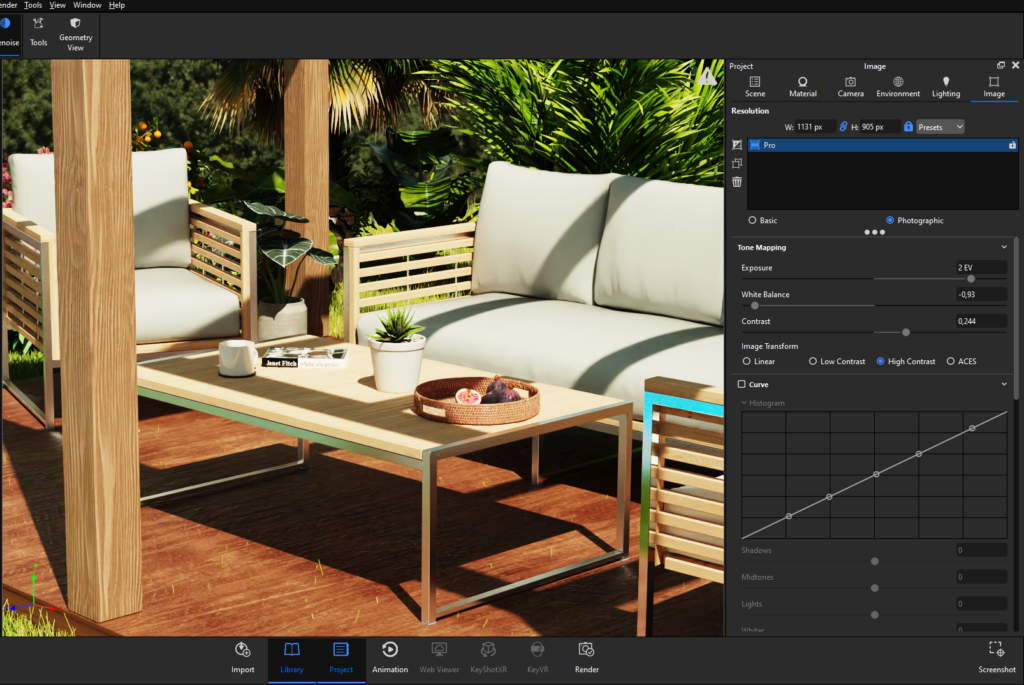
When changing the orientation of the image, it may also be necessary to adjust the composition of the scene to ensure that important elements are well positioned in the frame. Take a moment to review the composition and make adjustments if necessary.
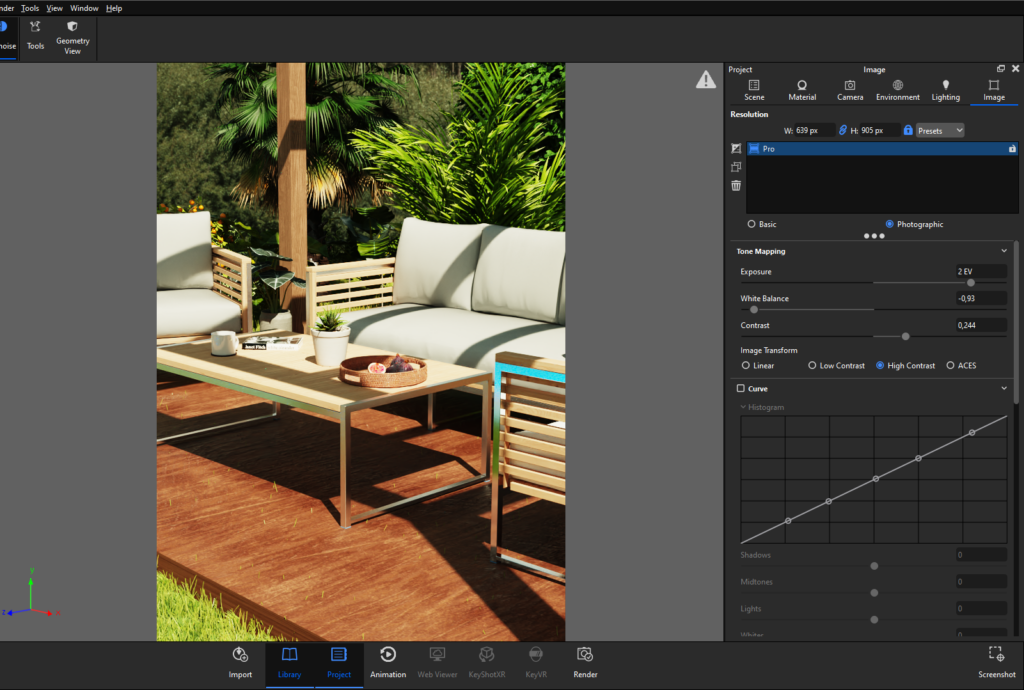
Adjusting the resolution in the Render window
Now we can simply press Ctrl + P and go to the Render window where in ‘Resolution‘, we can adjust the final resolution for the vertical render.
With this simple tip, we can change the format of the render to vertical to adapt it to presentations that are vertical such as magazine covers, banners, renders for mobile devices, etc.

All scenes. One price.
Get unlimited access to the entire Creox library for one year. Every premium scene we have published — and every new release — yours to download.
- ✓ Unlimited downloads of all scenes
- ✓ Every new scene released this year
- ✓ Commercial license included